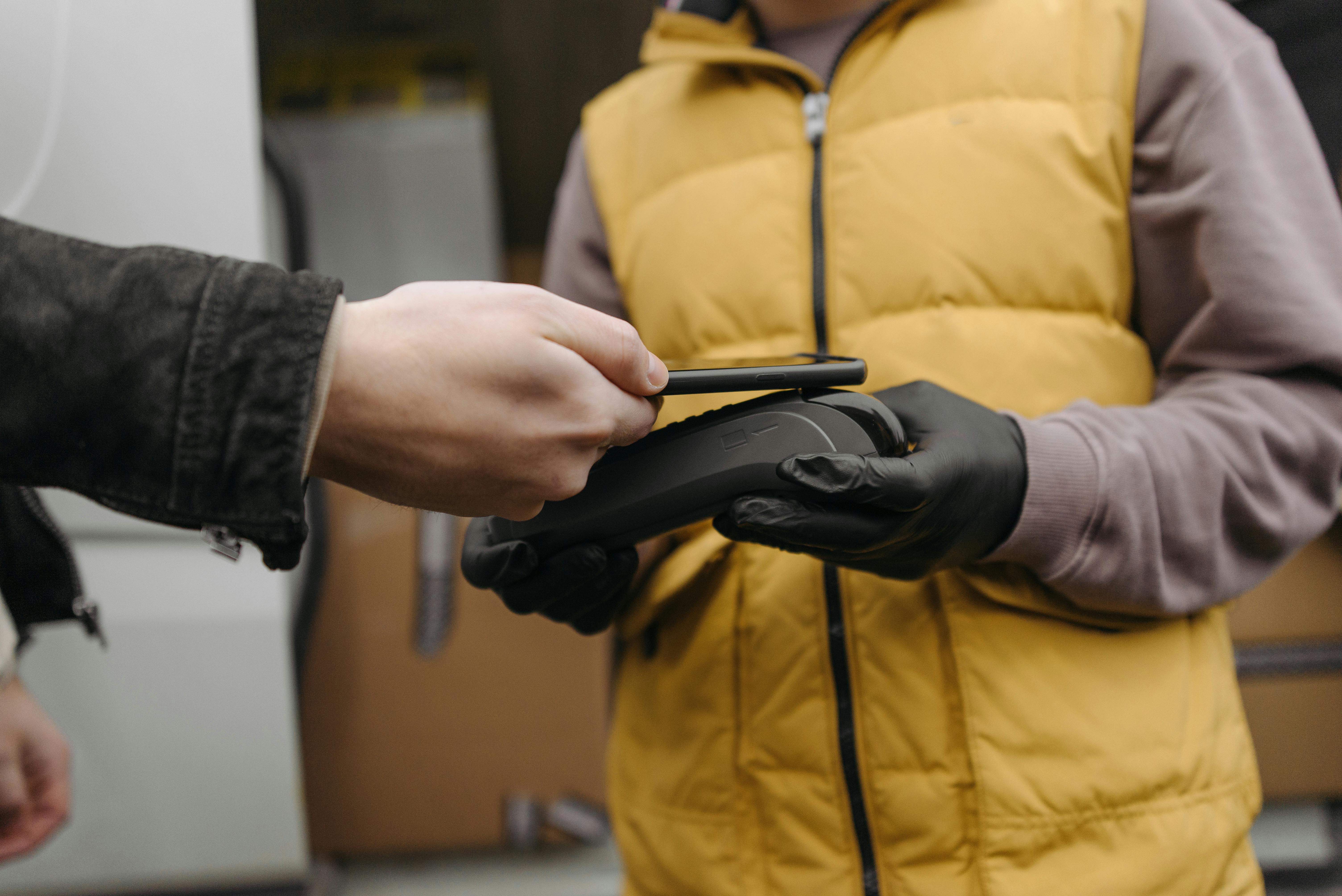
Cashless payments have become an important part of many business operations. Nevertheless, it may be challenging to select the appropriate provider when multiple offers have equal payment characteristics.
By simply focusing on transaction charges, it is possible that you are missing out on security, payment options, integration, and management solutions. It can also be difficult to know which features support your business as it grows.
It is more effective to benchmark providers vs. realistic business needs. Begin by considering payment acceptance, pricing, security, compatibility, and continuous support. These aspects can demonstrate that a provider is able to manage your present needs and even address the changes in the future. They can also assist you in discovering distinctions that cannot be seen on a simple price comparison.
Let’s examine five important areas.
1. Review Payment Methods and Acceptance Coverage
The first thing to do is to make sure what payment methods the various providers accept. An excellent cashless system must accept the methods that your customers already love. These can be credit and debit cards, contactless payments, mobile wallets, NFC, QR codes, and prepaid cards.
For example, Nayax Ltd supports swipe, EMV, contactless, NFC, QR code, mobile wallet, and prepaid payments. Its solutions also accept various payment providers and currencies.
Second, think about your location of operation. Determine whether the provider accepts local preferences for payment in each market. And check equipment compatibility. A vending machine system might be different from a retail one. Ensure that it is compatible with your machines, kiosks, chargers, or POS systems.

Price deserves careful attention, but the lowest advertised fee does not always mean the lowest overall cost. Providers can structure their pricing in different ways. You may encounter transaction fees, processing charges, hardware costs, software subscriptions, merchant-account fees, or other service charges.
Therefore, ask each provider for a clear breakdown of its pricing. Find out whether processing, terminal, interchange, acquiring, merchant-account, and chargeback costs are included or billed separately.
You should also consider your transaction volume. A provider with a slightly higher rate could still be more suitable if it includes management software or other tools that reduce manual work. On the other hand, a low-volume business may have different priorities.
Look beyond the initial setup cost, too. Hardware replacement, software updates, maintenance, connectivity, and support can affect your total cost over time. Comparing these expenses gives you a more realistic picture of what each provider will cost.
3. Evaluate Security Features and Payment Compliance
Security should be one of your main comparison criteria. A cashless payment system handles sensitive transaction information, so you need to understand how each provider protects payments and manages security requirements.
Start by checking relevant payment-security certifications and compliance standards. Then examine how payment information is processed and protected. You should also ask how the provider handles suspicious transactions, chargebacks, system updates, and security incidents.
For businesses operating unattended equipment, security also needs to cover the physical payment device. Look for hardware designed for secure payment acceptance and systems that can be monitored remotely.
A provider should also maintain security as payment technology changes. New payment methods and digital wallets can create additional technical requirements. Therefore, evaluate whether the provider regularly updates its systems and supports current payment standards.
Do not treat security as a feature that can be added later. It should be part of your initial evaluation because weaknesses can affect both your business operations and customer trust.
4. Check Integration Options and Business Compatibility

Your payment provider should fit into your existing business environment. A system that works well on its own may still create problems if it cannot connect with your machines, POS software, management platform, or other business systems.
Start by checking hardware compatibility. This is especially important for businesses operating vending machines, laundromats, car washes, parking systems, EV chargers, kiosks, or other unattended equipment. Some payment solutions are designed for retrofitting existing equipment, while others may require specific hardware.
Next, examine software integration. APIs can allow payment technology to connect with other platforms and workflows. An API-first approach can be particularly useful if you need customized functionality or already use business software that must communicate with your payment system.
Also consider installation. A plug-and-play or retrofittable solution can make deployment easier when you already have equipment in place. Before committing, ask whether integration requires specialist installation and how much disruption you can expect during implementation.
5. Examine Management Tools and Customer Support
A strong cashless payment system should do more than process transactions. Management and monitoring tools can give you greater visibility into how your operation is performing.
Look for features such as sales reporting, revenue tracking, inventory management, remote monitoring, alerts, and operational analytics. These tools can be particularly valuable when you manage multiple machines or locations. Instead of checking equipment individually, you can use connected systems to monitor performance remotely.
Customer engagement features can also make a difference. Some platforms support loyalty programs, mobile wallets, personalized offers, and other tools designed to encourage repeat purchases.
Finally, evaluate customer support. Ask about support availability, response times, onboarding, troubleshooting, and account assistance. A technically capable system still creates problems if support is difficult to access when something goes wrong.
A useful comparison should therefore consider the complete service rather than the payment terminal alone.
Conclusion
Comparing cashless payment providers requires more than checking transaction rates. You should examine payment methods, pricing, security, integration, management tools, and customer support together. This approach gives you a clearer view of how each provider could fit your business and its operational requirements.
Consider your current equipment, payment preferences, transaction volume, locations, and future plans before making a decision. Then compare providers against those requirements instead of relying on general feature lists.
A suitable solution should make payments easier while also supporting efficient operations and better visibility. Taking time to compare these areas can help you select technology that remains practical as your business develops.
FAQs
1. What Should Businesses Compare First When Choosing A Cashless Payment Provider?
Start with payment methods and compatibility. These determine whether the system can support your customers and existing equipment.
2. Are Lower Transaction Fees Always Better?
No. Consider the complete pricing structure, including hardware, software, processing, support, and other applicable costs.
3. Why Is Payment Security Important?
Cashless systems handle payment information, so strong security and appropriate compliance measures help protect transactions and customer data.
4. Do Cashless Payment Systems Support Mobile Wallets?
Many providers support mobile wallets alongside cards, contactless payments, NFC, QR codes, and prepaid payment methods. Check the exact options available before choosing a provider.
5. What Management Features Should Businesses Look For?
Useful features can include remote monitoring, sales reporting, revenue tracking, inventory management, alerts, analytics, and customer engagement tools.